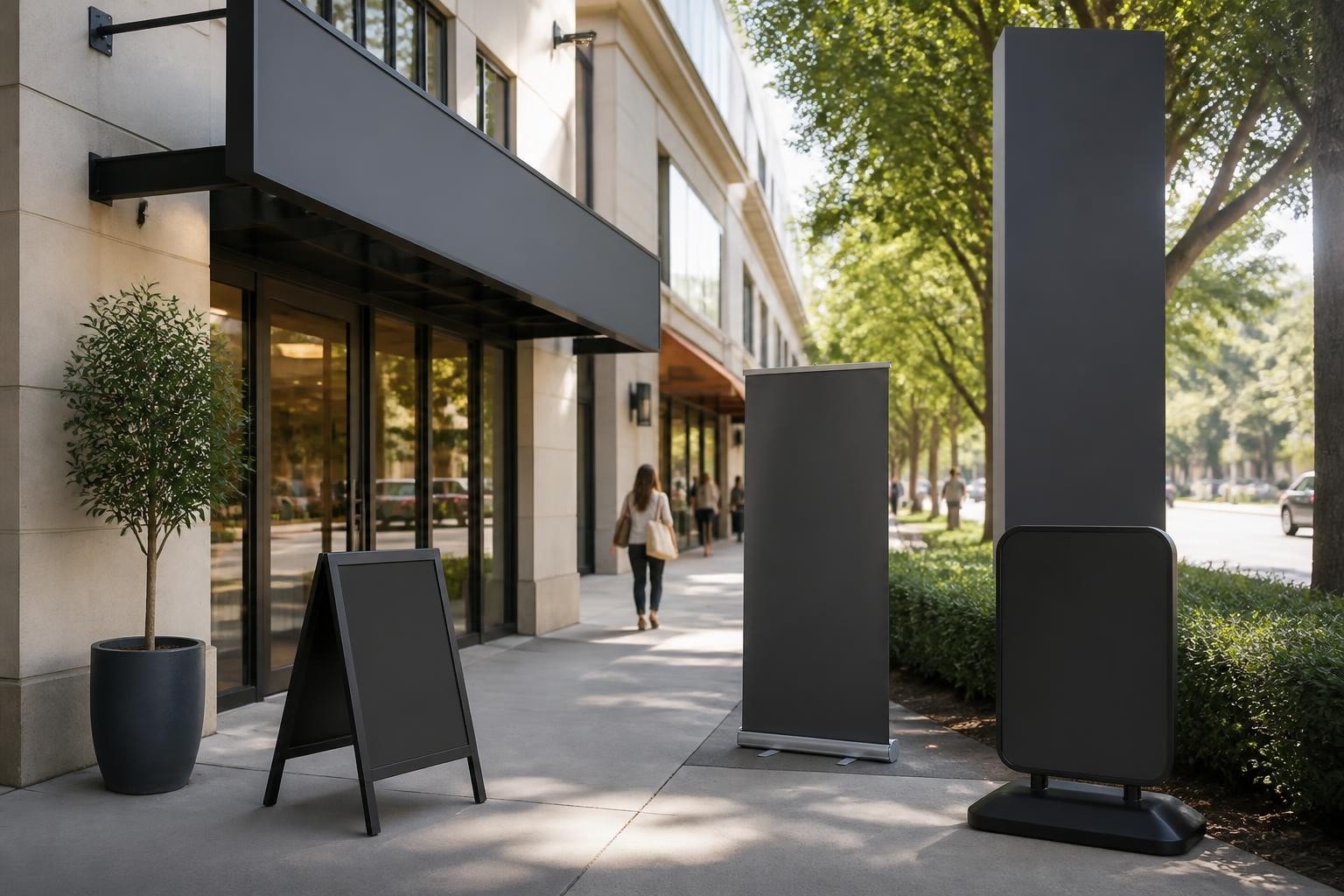



Digital Signage Monitors: A Professional Buyer's Guide
Modern visual communication demands more than static printed posters. Digital signage monitors have transformed how businesses engage customers, communicate with employees, and deliver dynamic information across diverse environments. From retail point-of-sale displays to pharmaceutical compliance messaging, these specialised screens offer capabilities that traditional signage simply cannot match. Understanding the technical specifications, deployment considerations, and operational requirements is essential for any organisation investing in this technology.
Understanding Digital Signage Monitor Technology
Digital signage monitors differ fundamentally from consumer televisions and standard computer displays. These commercial-grade screens are engineered for continuous operation, often running 16 to 24 hours daily in demanding environments.
Commercial-Grade vs Consumer Displays
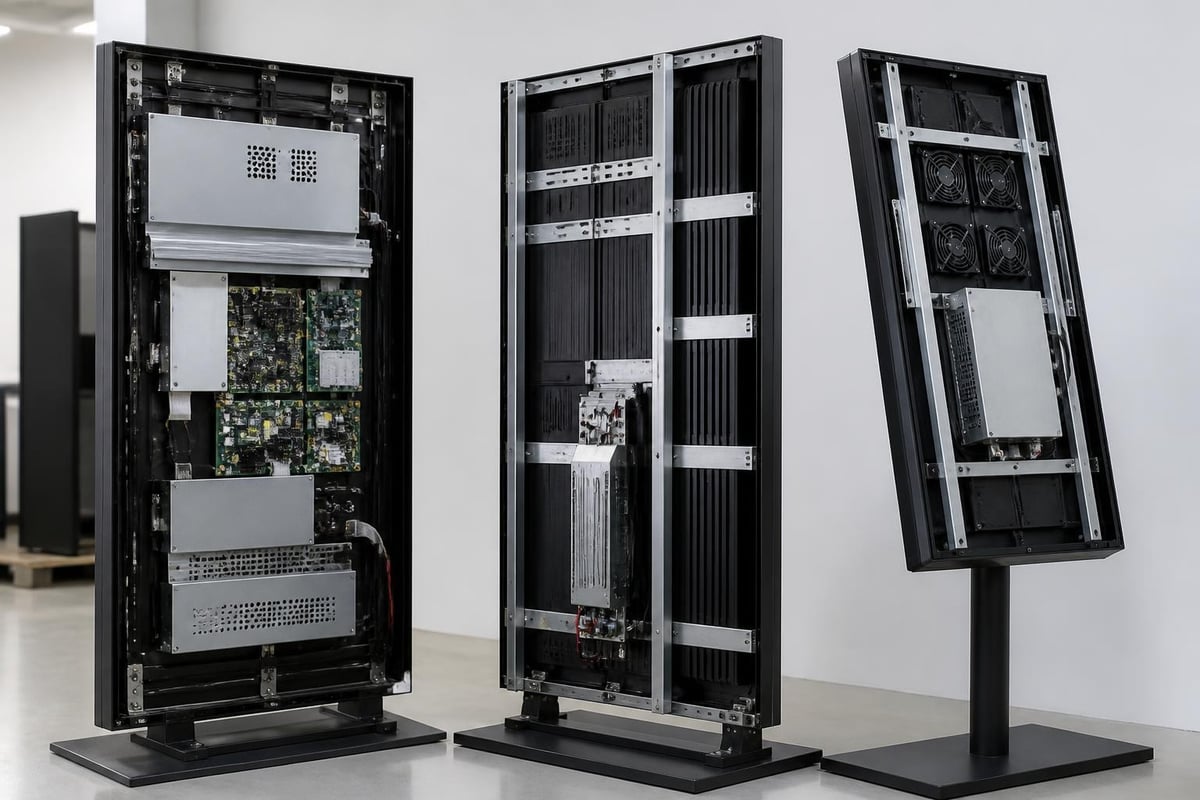
The distinction between commercial and consumer displays extends far beyond price points. Commercial digital signage monitors feature industrial-grade components designed to withstand extended operational cycles without degradation.
Key commercial-grade features include:
- Enhanced thermal management with superior cooling systems
- Reinforced power supplies rated for continuous duty
- Extended warranty coverage (typically three to five years)
- Landscape and portrait orientation flexibility
- Integrated media players and content management compatibility
Consumer televisions, whilst visually similar, deteriorate rapidly under continuous use. Their components fail prematurely, colours lose calibration, and backlighting degrades within months of 24/7 operation.
| Feature | Commercial Monitor | Consumer Television |
|---|---|---|
| Operational hours | 16-24 hours/day | 4-8 hours/day |
| Typical lifespan | 50,000-100,000 hours | 30,000-50,000 hours |
| Warranty period | 3-5 years | 1-2 years |
| Orientation support | Portrait/landscape | Landscape only |
| Brightness (nits) | 450-2,500+ | 250-400 |
Display Technologies and Panel Types
The panel technology within digital signage monitors determines viewing angles, colour accuracy, response times, and suitability for specific applications. Three primary technologies dominate the commercial market.
LCD and LED-Backlit Displays
Liquid crystal display (LCD) technology with LED backlighting represents the most prevalent choice for indoor digital signage monitors. These displays offer excellent brightness uniformity, energy efficiency, and cost-effectiveness.
LED backlighting has evolved significantly. Edge-lit configurations provide thin form factors ideal for sleek installations, whilst direct-lit (full-array) designs deliver superior brightness control and contrast ratios. Some premium models incorporate local dimming zones, enhancing black levels and dynamic range.
The Digital Signage solutions sector has embraced LED technology for both traditional backlit LCD panels and direct-view LED displays, each serving distinct use cases.
OLED Technology Advantages
Organic light-emitting diode (OLED) displays eliminate the need for backlighting entirely. Each pixel generates its own light, enabling perfect black levels, infinite contrast ratios, and exceptional colour vibrancy.
For premium retail environments and corporate reception areas, OLED digital signage monitors deliver unmatched visual impact. However, considerations around burn-in risk, higher acquisition costs, and reduced peak brightness compared to high-end LCD displays limit widespread adoption.
Direct-View LED Arrays
Moving beyond traditional panel formats, direct-view LED assemblies consist of individual LED modules creating seamless video walls at virtually any size or aspect ratio. These aren't monitors in the conventional sense but rather modular displays specified by pixel pitch (P10, P5, P2.5, etc.).
Tighter pixel pitches enable closer viewing distances, making fine-pitch LED suitable for control rooms and executive briefing spaces. Coarser pitches serve large-format outdoor installations where viewing distance exceeds several metres. The benefits of LED signage extend to scalability and brightness levels unattainable with conventional panels.
Critical Specifications for Selection
Choosing appropriate digital signage monitors requires evaluating specifications against deployment environments and content requirements. Surface-level comparisons often miss nuanced performance factors.
Brightness and Ambient Light
Measured in candelas per square metre (cd/m² or nits), brightness determines visibility under various lighting conditions. Indoor environments typically require 350-700 nits, whilst semi-outdoor or window-facing installations demand 1,000-2,500 nits.
Outdoor digital signage monitors, particularly those in direct sunlight, may specify 2,500+ nits with anti-reflective coatings. The ENERGY STAR guidance for signage displays provides brightness recommendations balanced against energy consumption, helping organisations select efficient models without sacrificing visibility.
Automatic brightness sensors adjust output based on ambient conditions, reducing power consumption during low-light periods whilst ensuring readability when required.
Resolution and Pixel Density
Resolution describes the total pixel count (1920×1080 for Full HD, 3840×2160 for 4K UHD), whilst pixel density (pixels per inch) determines sharpness at specific viewing distances.
A 55-inch 4K display delivers approximately 80 PPI, suitable for viewing distances of 1.5 metres or greater. Smaller screens or closer viewing scenarios benefit from higher pixel densities to prevent visible pixelation.
Recommended resolutions by application:
- Retail product showcases: 4K UHD minimum
- Corporate wayfinding: Full HD adequate
- Menu boards: Full HD to 4K depending on size
- Video walls: Resolution per panel, calculated for total canvas
- Interactive kiosks: 4K for touch precision
Connectivity and Input Options
Modern digital signage monitors incorporate diverse input interfaces to accommodate various media players, computers, and network devices. The VESA DisplayPort standard has become increasingly important for high-bandwidth content delivery, supporting 4K and 8K resolutions with HDR capabilities.
Essential connectivity includes:
- HDMI 2.0 or 2.1 for 4K content at 60Hz
- DisplayPort 1.4 for professional applications
- USB for local media playback
- Ethernet for network-based content management
- RS-232 or USB control for integration with building systems
Some digital signage monitors feature integrated System-on-Chip (SoC) platforms, eliminating external media players entirely. Content management systems communicate directly with the display, reducing hardware complexity and potential failure points.
Environmental and Durability Considerations
Deployment environment dictates critical durability specifications. Indoor climate-controlled spaces impose minimal stress, whilst outdoor or industrial settings demand robust protection.
Ingress Protection Ratings
The IP (Ingress Protection) rating system, defined by IEC 60529 standard, specifies resistance to solid particles and liquids. An IP65 rating indicates complete dust protection and resistance to water jets from any direction, suitable for outdoor digital signage monitors.
Indoor displays typically require only IP20 to IP40 protection, sufficient for incidental contact and minor dust exposure. Interactive kiosks in high-traffic areas may warrant IP54 or higher to protect against accumulated dust and liquid spills.
Operating Temperature Ranges
Standard commercial displays operate within 0-40°C ambient temperatures. Outdoor installations in extreme climates require extended temperature ranges, often -30°C to 50°C, with integrated heating and cooling systems.
Direct sunlight creates additional thermal load beyond ambient temperature. Proper enclosure design with ventilation, heat dissipation, and potentially active cooling ensures display longevity even in challenging conditions.
Vandal Resistance and Security
Public-facing digital signage monitors in unsupervised locations benefit from strengthened front panels and secured mounting systems. Tempered or chemilainforced glass protects against impact, whilst tamper-resistant hardware prevents theft or unauthorized access.
Some deployments incorporate anti-glare or anti-graffiti coatings that maintain optical clarity whilst resisting damage and facilitating cleaning.
Content Management and System Integration
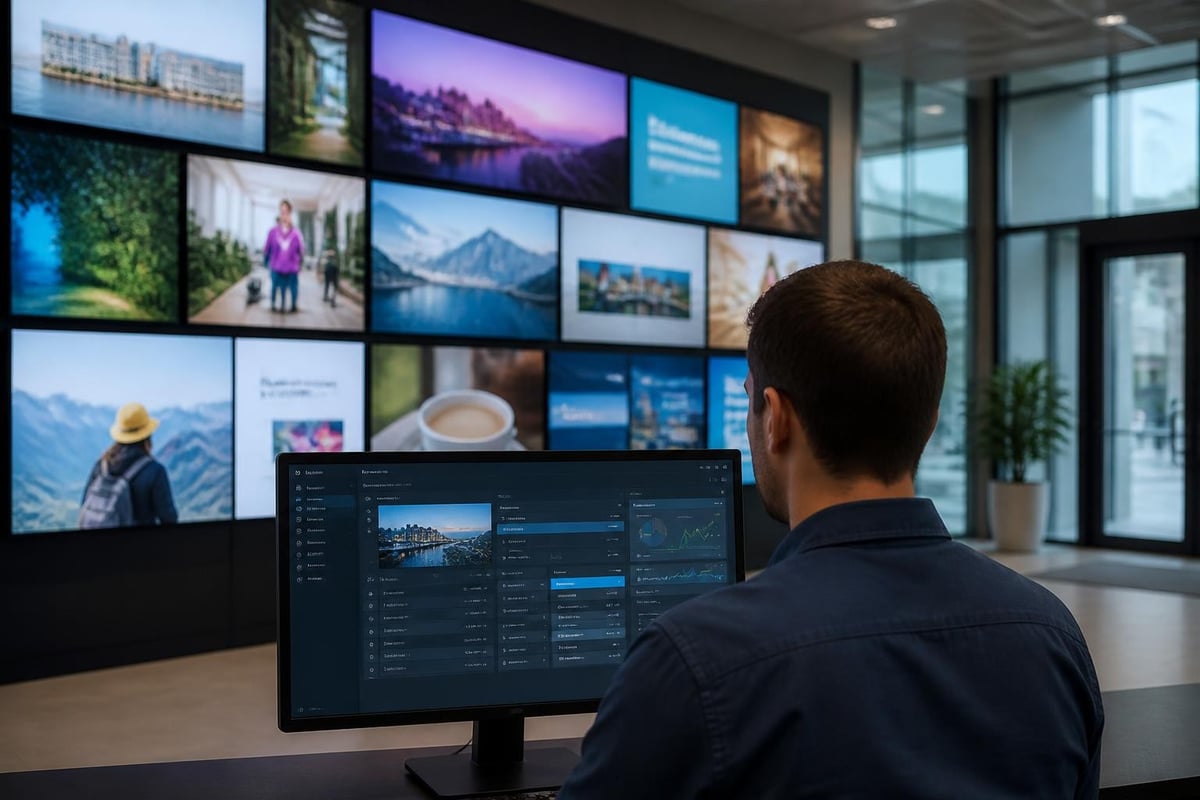
Hardware represents only one component of effective digital signage. The digital signage system architecture encompasses media players, content management software, network infrastructure, and display hardware working cohesively.
Content Management Systems
Professional content management systems (CMS) enable centralized control over content scheduling, screen grouping, and real-time updates across distributed displays. Cloud-based platforms facilitate management from any location, whilst on-premise solutions maintain complete data control.
Core CMS capabilities include:
- Template-based content creation
- Scheduling by time, date, or triggered events
- Playlist management and rotation
- Multi-zone screen layouts
- Proof-of-play reporting
- User permissions and access control
Integration with data sources adds dynamic capabilities. Retail environments display inventory levels, corporate settings show live KPI dashboards, and pharmaceutical facilities present regulatory compliance information updated automatically.
Media Players and Edge Computing
Dedicated media players decode content files and output video signals to digital signage monitors. Options range from basic standalone players to enterprise-grade devices with failover capabilities and remote management.
System-on-Chip (SoC) displays incorporate computing directly within the monitor, reducing external hardware. This simplification decreases cabling complexity, potential failure points, and installation costs. However, upgrading computing performance requires display replacement rather than media player swaps.
Edge computing capabilities enable local processing of dynamic content, reducing network bandwidth requirements whilst maintaining responsive performance even during connectivity disruptions.
Energy Efficiency and Sustainability
Operational costs extend beyond initial acquisition prices. Energy consumption over a display's lifespan represents significant expense, particularly for large deployments or 24/7 operations.
The Department of Energy guidance on purchasing energy-efficient displays provides institutional buyers with practical criteria for evaluating long-term costs. Digital signage monitors with automatic brightness adjustment, occupancy sensing, and scheduled power management reduce consumption by 30-50% compared to always-on configurations.
LED backlighting inherently consumes less power than legacy CCFL technology, whilst OLED displays further reduce consumption when displaying predominantly dark content. However, bright white content may increase OLED power draw beyond comparable LCD displays.
| Display Type | Typical Power (per m²) | Annual Cost (24/7)* |
|---|---|---|
| LCD LED-backlit | 80-120W | R4,200-R6,300 |
| OLED | 60-150W (content-dependent) | R3,150-R7,875 |
| Direct-view LED | 150-400W | R7,875-R21,000 |
*Based on R1.10/kWh average commercial rate in South Africa, 2026
Lifespan and Total Cost of Ownership
Commercial digital signage monitors typically deliver 50,000 to 100,000 hours of operation before brightness degrades to 50% of original levels. At 16 hours daily operation, 50,000 hours represents approximately 8.5 years of service life.
Total cost of ownership calculations must account for energy consumption, maintenance, content creation, and replacement cycles. Higher-quality displays with extended warranties often prove more economical over multi-year deployments despite elevated initial costs.
Installation and Mounting Considerations
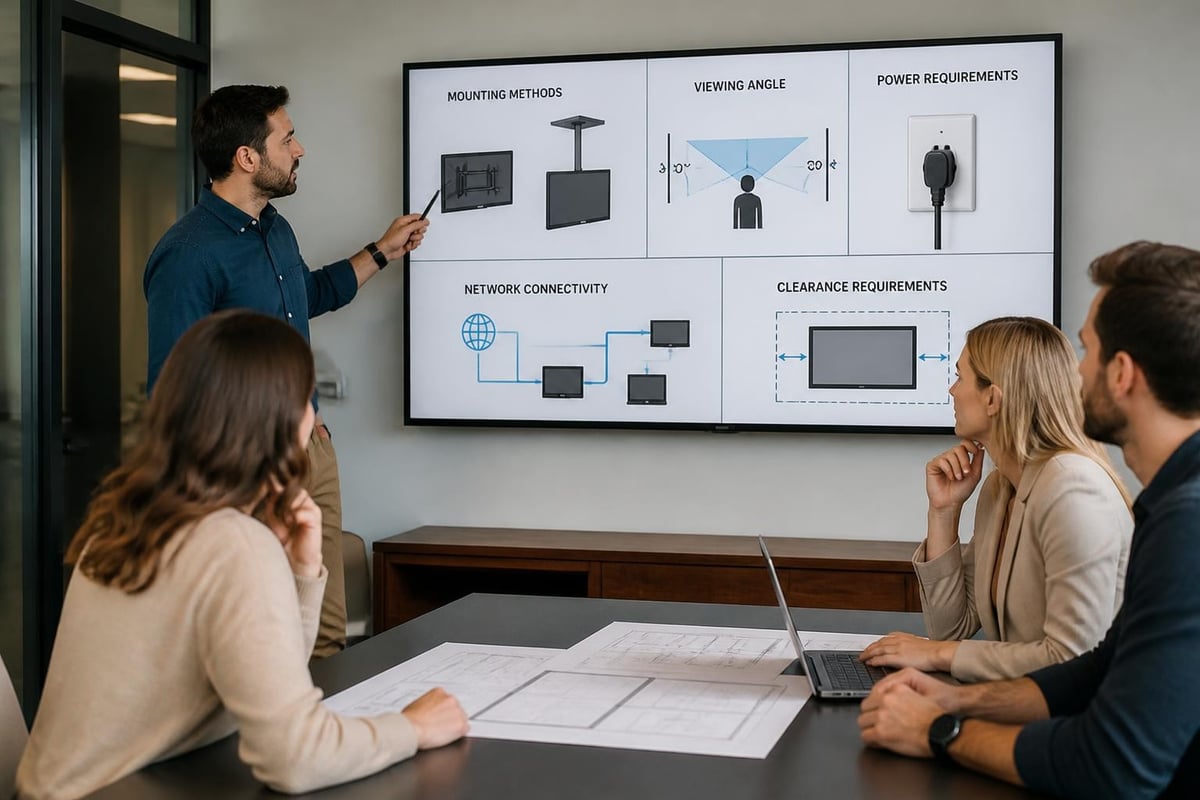
Proper installation ensures safety, optimal viewing angles, and long-term reliability. The UL 2442 standard establishes mounting and mechanical safety requirements for commercial displays, addressing load ratings, attachment methods, and seismic considerations.
Mounting Options and Orientation
Digital signage monitors accommodate various mounting configurations:
- Wall mounts: Fixed, tilting, or articulating arms
- Ceiling suspension: Dual-sided or single-sided
- Floor stands: Mobile or permanent installations
- Video wall frames: Multi-display arrays with minimal bezels
- Kiosk enclosures: Interactive touchscreen housings
Portrait orientation suits vertical content formats common in retail and corporate directories. Ensure selected digital signage monitors explicitly support portrait mode with proper thermal management, as heat distribution differs from landscape orientation.
Professional Installation Requirements
Complex installations involving multiple displays, integration with building systems, or outdoor environments warrant professional installation services. The importance of professional signage installation extends beyond mounting hardware to encompass electrical compliance, network configuration, and system commissioning.
Qualified installers ensure proper cable management, adequate ventilation clearances, secure mounting to structural elements, and compliance with local building codes. Interactive displays require precise height positioning and cable routing for power, data, and touch interfaces.
Industry-Specific Applications
Different sectors leverage digital signage monitors in distinct ways, each with unique requirements and content strategies.
Corporate and Pharmaceutical Environments
Corporate deployments emphasize internal communications, wayfinding, and meeting room scheduling. Digital signage monitors in reception areas project brand identity whilst providing visitor information.
Pharmaceutical facilities utilize displays for compliance messaging, safety protocols, and production metrics. These environments often require displays resistant to cleaning chemicals and able to integrate with existing quality management systems. The insights shared in industry solutions demonstrate how tailored signage addresses sector-specific challenges.
Retail and Customer Engagement
Retail environments deploy digital signage monitors for dynamic merchandising, promotional content, and product information. Interactive touchscreens enable customers to browse catalogues, check inventory, or complete transactions.
Window-facing displays require high brightness (1,500+ nits) to compete with daylight, whilst in-store screens operate comfortably at 400-700 nits. Content updates occur frequently, sometimes multiple times daily, demanding robust content management infrastructure.
Recent digital signage trends from ISE 2025 highlight the increasing sophistication of retail deployments, including AI-driven content personalization and integration with inventory management systems.
Construction and Temporary Installations
Construction sites and temporary events present unique challenges. Digital signage monitors for these applications must withstand dust, vibration, temperature fluctuations, and potential impact.
Portable displays on wheeled stands offer flexibility for changing site layouts. Battery-powered options eliminate electrical infrastructure requirements, though operational duration limits their use to intermittent activation.
Security and Network Considerations
Connected digital signage monitors introduce cybersecurity considerations often overlooked during initial deployment planning. The NIST IoT Advisory Board report provides authoritative guidance on IoT security applicable to networked display systems.
Network Segmentation and Access Control
Digital signage monitors should operate on segregated network segments, isolated from critical business systems. VLAN configuration prevents compromised displays from accessing sensitive data whilst maintaining content delivery and management capabilities.
Security best practices include:
- Regular firmware updates addressing known vulnerabilities
- Strong authentication for content management access
- Encrypted content transmission
- Network monitoring for unusual traffic patterns
- Physical security preventing unauthorized USB access
Content Validation and Malware Prevention
Content management systems must validate uploaded files, scanning for malware before distribution to displays. Restricting file formats to known-safe types (specific image and video codecs) reduces attack surface.
USB playback features, whilst convenient, introduce risks if displays accept unvalidated external media. Disabling unnecessary features through administrative lockdown reduces potential exploit vectors.
Maintenance and Lifecycle Management
Proactive maintenance extends display lifespan and ensures consistent performance. The long-term signage maintenance guide offers practical approaches applicable to digital installations.
Cleaning and Care
Regular cleaning maintains image quality and prevents heat buildup from accumulated dust. Use microfiber cloths with appropriate cleaning solutions specified by manufacturers. Avoid ammonia-based cleaners that damage anti-glare coatings.
Inspect ventilation openings quarterly, removing dust buildup that impedes airflow. Compressed air dislodges debris from grilles and heat sinks without disassembly.
Performance Monitoring
Monitor display health through built-in diagnostics reporting operating hours, internal temperatures, and component status. Many commercial digital signage monitors transmit telemetry to management platforms, alerting administrators to developing issues before failure occurs.
Brightness calibration ensures consistent colour and luminance across multi-display installations. Annual recalibration compensates for gradual LED aging, maintaining visual uniformity.
| Maintenance Task | Frequency | Duration |
|---|---|---|
| Screen cleaning | Weekly-monthly | 5-10 min |
| Ventilation inspection | Quarterly | 10-15 min |
| Cable connection check | Bi-annually | 15-20 min |
| Brightness calibration | Annually | 30-60 min |
| Firmware updates | As released | 20-40 min |
Emerging Trends and Future Developments
The digital signage industry continues rapid evolution. Insights from Digital Signage Today's ISE 2025 coverage reveal several significant trends reshaping deployments.
MicroLED and Advanced Display Technologies
MicroLED represents the convergence of direct-view LED and flat-panel displays. Individual microscopic LEDs create pixels without backlighting, achieving OLED's contrast advantages with LED's brightness and longevity.
Though currently expensive, microLED digital signage monitors are entering premium markets, offering 2,000+ nit brightness, infinite contrast, and lifespan exceeding 100,000 hours without degradation.
Artificial Intelligence Integration
AI-powered content management analyzes viewer demographics, dwell time, and engagement, adjusting displayed content in real-time. Retail applications show products matching observed customer profiles, whilst corporate environments adapt messaging based on occupancy patterns.
Computer vision algorithms track viewing behavior without personally identifying individuals, providing anonymous analytics on content effectiveness. This data drives continuous optimization of messaging strategies.
Sustainability Initiatives
Environmental considerations increasingly influence purchasing decisions. Manufacturers respond with recyclable materials, reduced packaging, and take-back programs for end-of-life displays. Energy efficiency certifications guide procurement toward models minimizing operational carbon footprints.
Solar-powered outdoor digital signage monitors eliminate grid dependency in remote locations, combining LED efficiency with renewable energy for sustainable operation.
Procurement and Vendor Selection
Selecting appropriate digital signage monitors requires evaluating not only hardware specifications but also vendor support, warranty terms, and long-term viability.
Specification Development
Define requirements before engaging vendors. Consider viewing distances, ambient lighting, content types, operational hours, environmental conditions, and integration requirements.
Essential specification elements:
- Display size and aspect ratio
- Minimum brightness and contrast ratio
- Resolution and pixel density
- Operating temperature range
- IP rating for ingress protection
- Warranty duration and coverage
- Input interfaces and connectivity
- Mounting compatibility
- Energy consumption limits
- Compliance certifications required
Total Cost Analysis
Compare proposals on total cost of ownership rather than acquisition price alone. Factor in energy consumption, warranty coverage, expected lifespan, and included versus optional features.
Some vendors bundle content management software, media players, and installation services. Evaluate whether integrated solutions simplify deployment or limit future flexibility through proprietary lock-in.
Support and Service Considerations
Commercial deployments demand reliable technical support and timely service response. Assess vendor support hours, response time guarantees, spare parts availability, and field service capabilities.
National footprint matters for multi-location deployments requiring consistent installation quality and coordinated service. Vendors with regional presence can respond faster to issues and maintain standardized deployment practices across sites.
Digital signage monitors have evolved from simple display devices into sophisticated communication platforms integral to modern business operations. By carefully evaluating technical specifications, environmental requirements, security considerations, and total cost of ownership, organisations can deploy solutions that deliver consistent performance and measurable returns over years of service. Whether you're planning corporate communications, retail engagement, or industry-specific applications, Signs4SA combines technical expertise with comprehensive support to deliver digital signage solutions tailored to your unique requirements across South Africa's diverse business landscape.